Allocation review (Beta)
Allocation review enables guided monthly workflows for confirming who’s working on what. Instead of chasing spreadsheets or asking leads to update allocations ad hoc, each month opens a review cycle where every team lead confirms their people’s allocations in one pass.
Allocation review is turned on per org view from its Display settings.
Run a review, team by team
Each month gets its own cycle, and the coverage home page shows where the whole organization stands: how many people have been reviewed, which teams are still waiting, which reviews are in draft, and which have been published.
- Send each lead their own link. Copy a team’s review link straight from the coverage list and send it to the lead.
- Review just one person. Need a mid-month correction for a single individual? Start a spot review for that person instead of reopening the whole team.
- Pick up where you left off. Drafts are saved as you go and listed with their progress, so a review can be finished later without losing work.
Review each person with the full picture
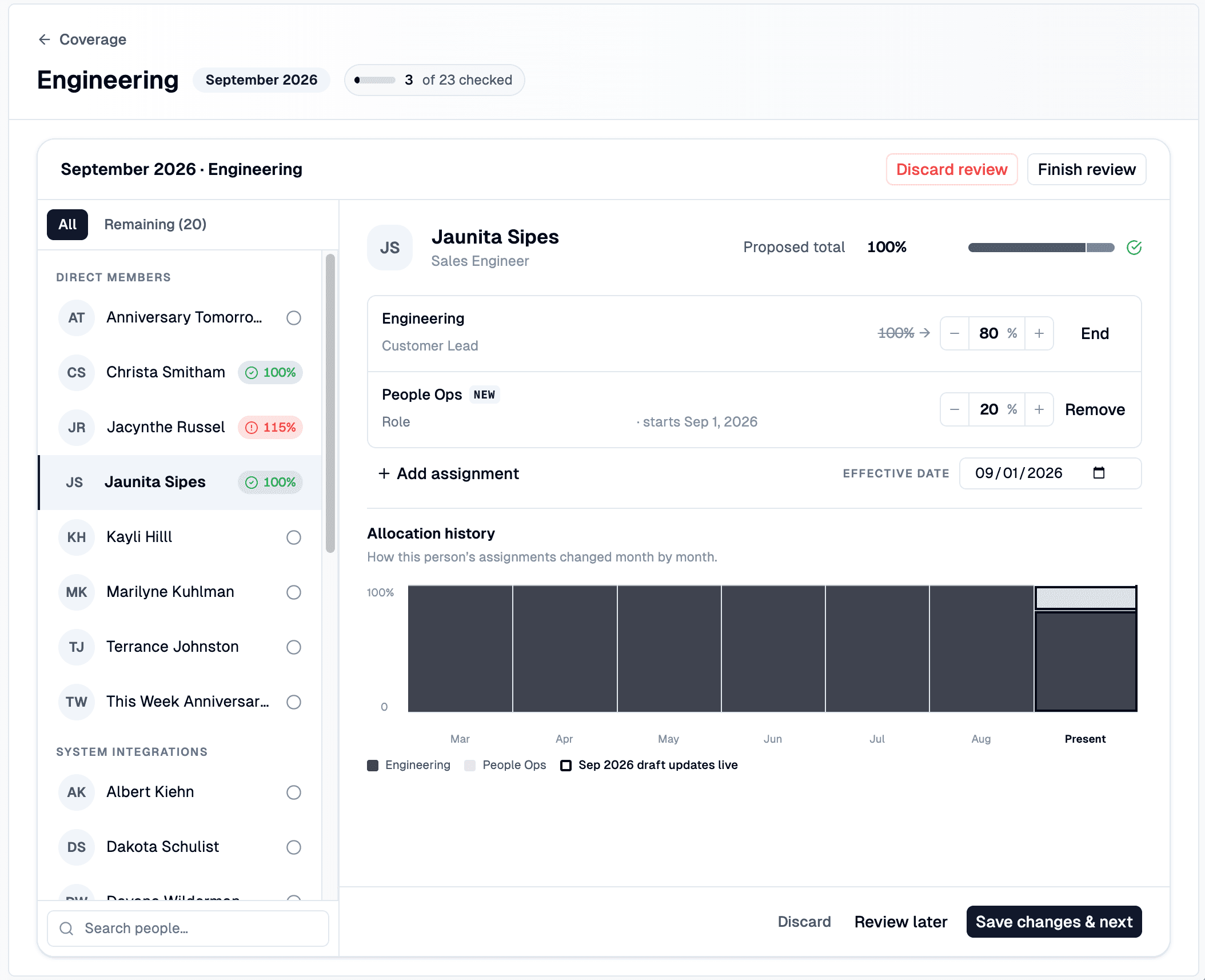
Reviews walk through one person at a time, showing their current assignments, their total allocation, and a history of recent allocation changes.
For each person, a lead can adjust allocation percentages, change a role, mark someone as project lead, end an assignment, or add a new one — each with its own effective date so changes land on the right day.
The review also catches the things that are easy to miss:
- Allocation warnings when someone ends up over or under 100% or has no active assignments at all.
- Overlap alerts when the same person is also being reviewed in another team’s draft.
- Stale draft detection when someone’s live assignments change while a review is in progress.
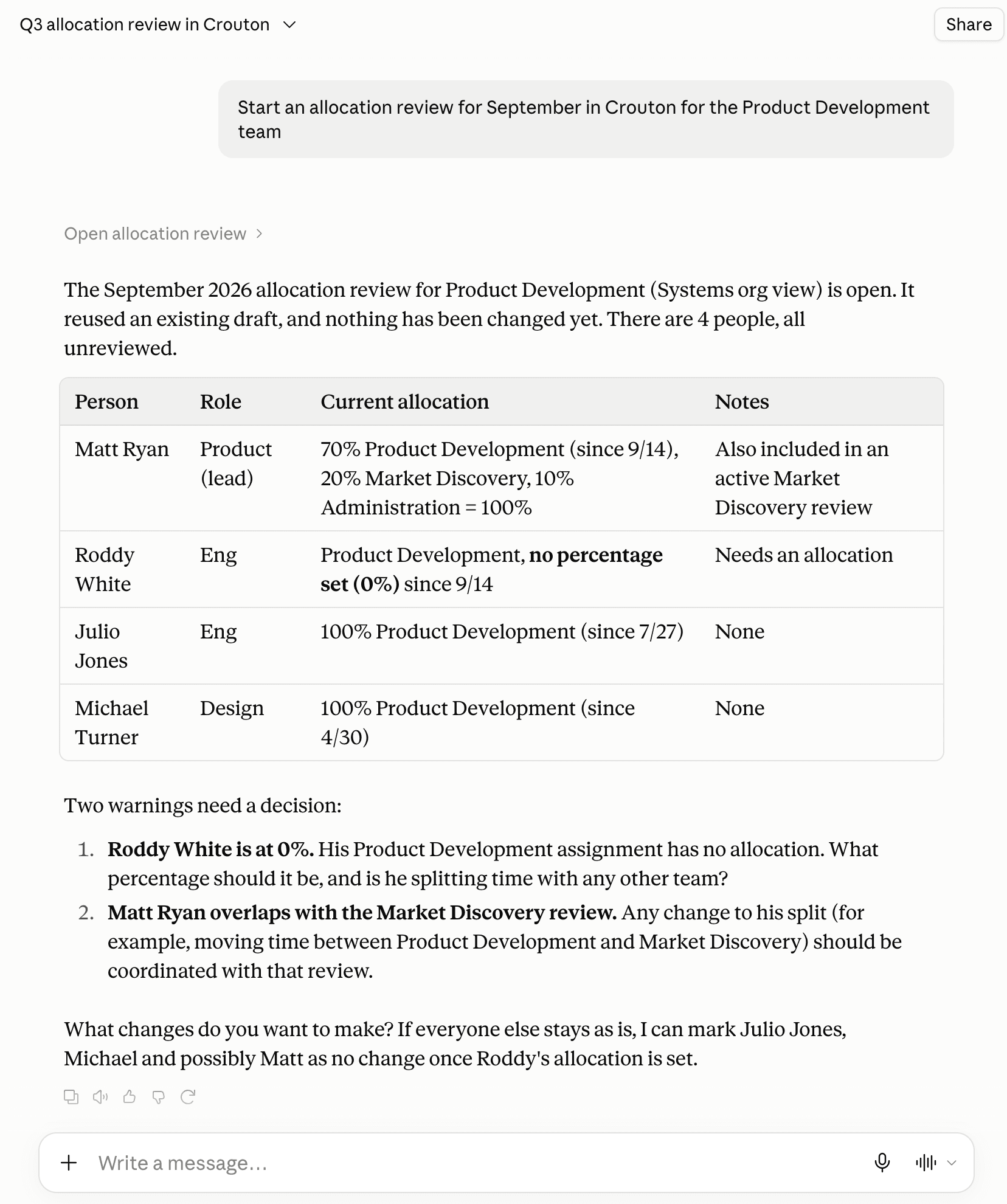
MCP Integration
Allocation reviews can be opened, edited, and published through AI assistants like ChatGPT and Claude.