Lists: auto-add rows, alerts, exports, and sharing
We’ve spent some time this month focusing on Lists: the organizational tool that makes it easy to collect groups of teams or profiles and track custom information.
Auto-add rows
Lists can now keep themselves populated. When you create a list, choose between adding rows manually or keeping all people or teams in sync. You can switch existing lists over at any time from List Settings → Row membership.
With sync on:
- Every person or team is added for you and new ones appear automatically as they’re created
- Employees who leave your company drop off the list on their own
List alerts
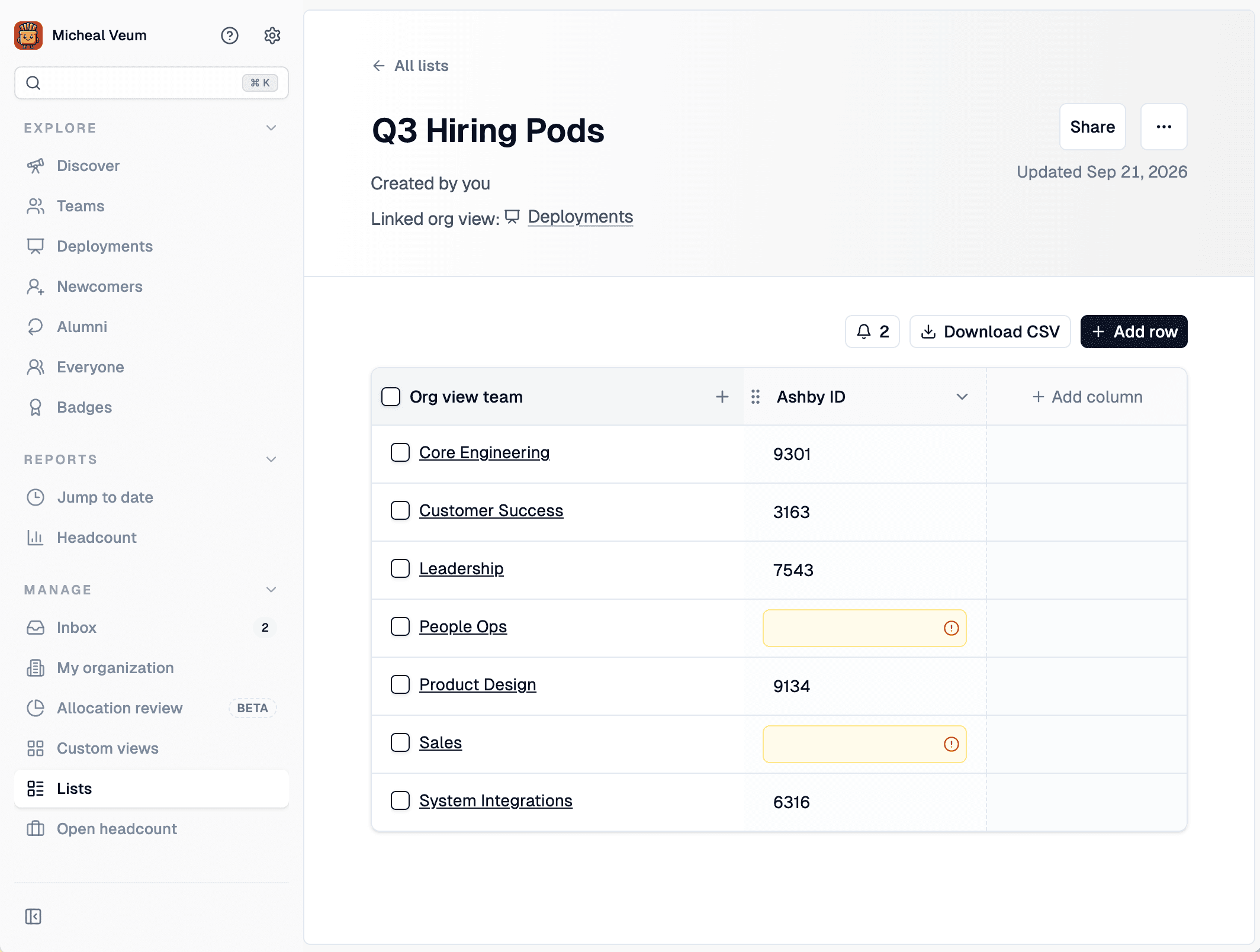
Lists can now tell you when something’s missing. Open List Settings → Alerts, pick the column to watch, and choose who should hear about it.
- Crouton checks every list nightly and sends each recipient an item in their Inbox for each row that’s missing a value.
- Inbox items link straight to the row, and they clear themselves once the value is filled in. No need to dismiss manually.
- Easily filter to just rows that are missing values by clicking the alert button above the table
Exporting your data
This update also enables you to export your list data via CSV or API.
CSV — Every list detail page now has a Download CSV button. The export covers the entire list, not just the rows visible on screen, and includes all of your columns and custom fields.
API — Lists are now available through the Crouton API, so you can pull them into your own reporting or tools.
Existing API keys can pull this information or create a new key in My Organization → Integrations → API Keys. View the API docs!
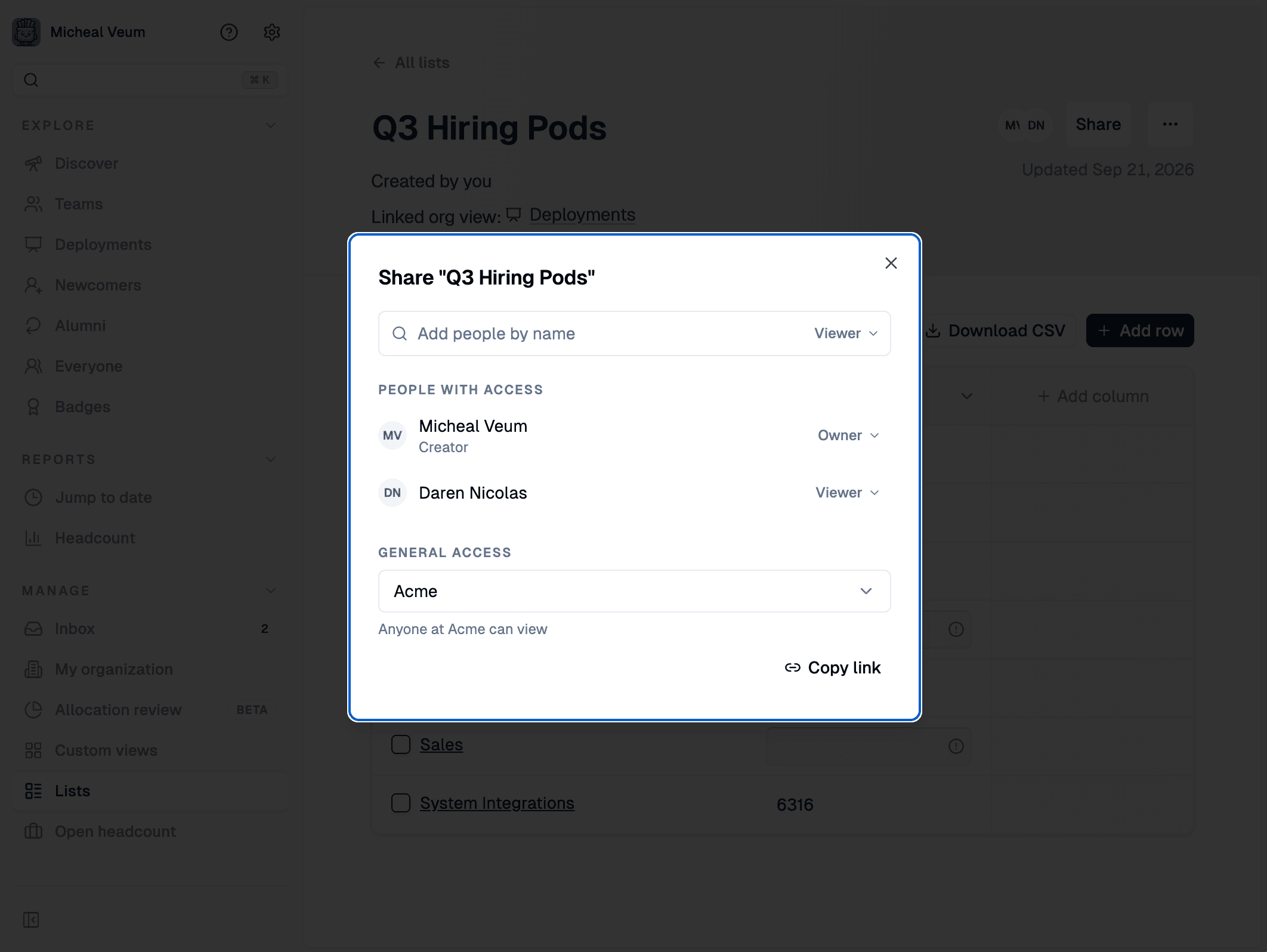
Sharing lists with your team
Lists now have a proper Share dialog.
- Add teammates and give them view or owner access
- Set general access to Restricted (only people you’ve added) or open the list to anyone in your organization
- Only owners can manage access and can remove people