Unified People directory, team colors, and quicker assignment edits
Over the past two weeks we combined Everyone, Newcomers, and Alumni into one People directory, added team colors to org charts, and made it quicker to add and edit assignments.
People directory
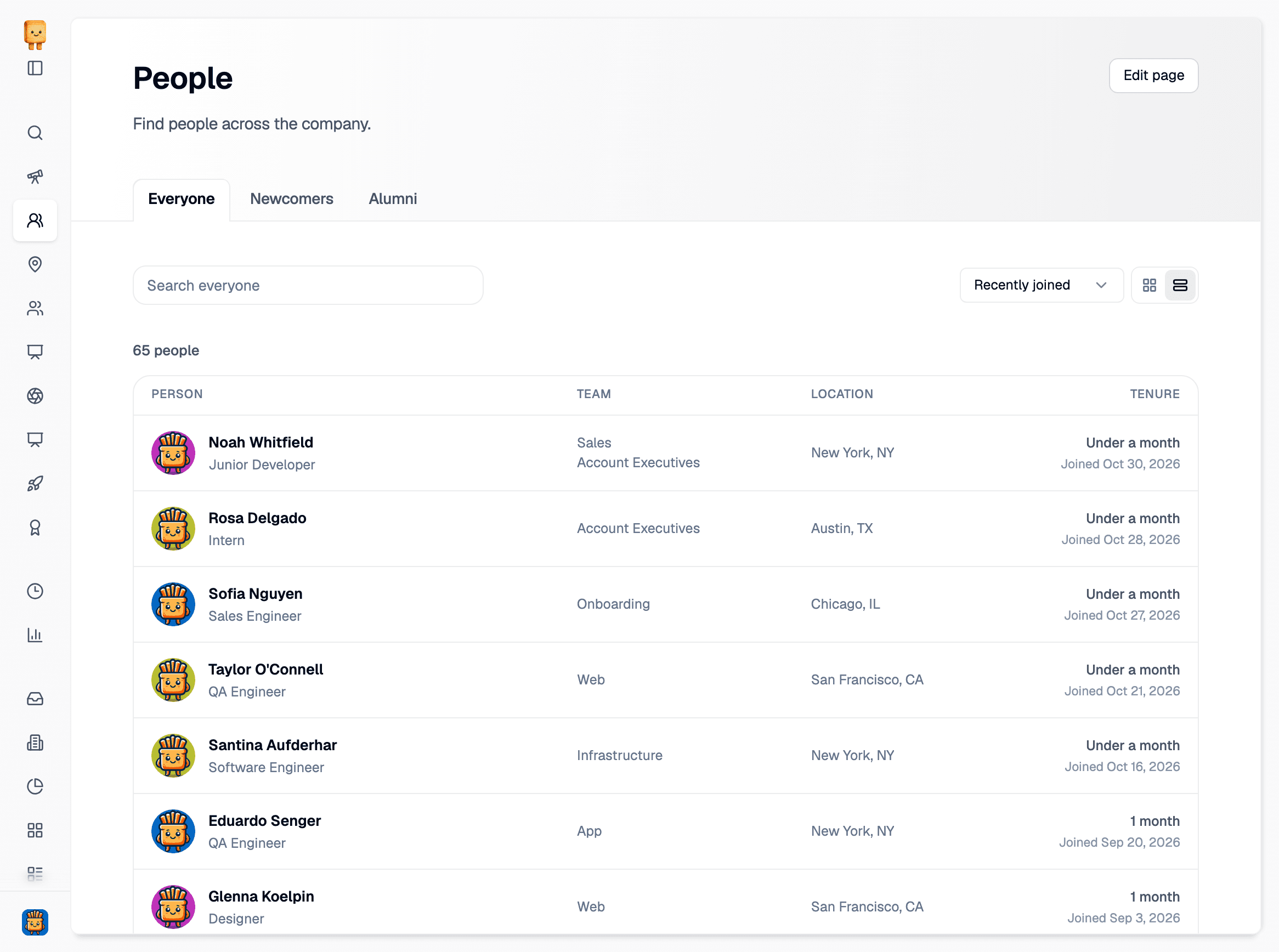
Everyone, Newcomers, and Alumni are now tabs on a single People page, with one People link in the sidebar and in search.
- Search everyone and sort by Name, Recently joined, or Longest tenure
- Switch between Cards and Table. Table shows each person’s title, teams, location, and tenure
- See every team someone belongs to in the Team column, not just the first one
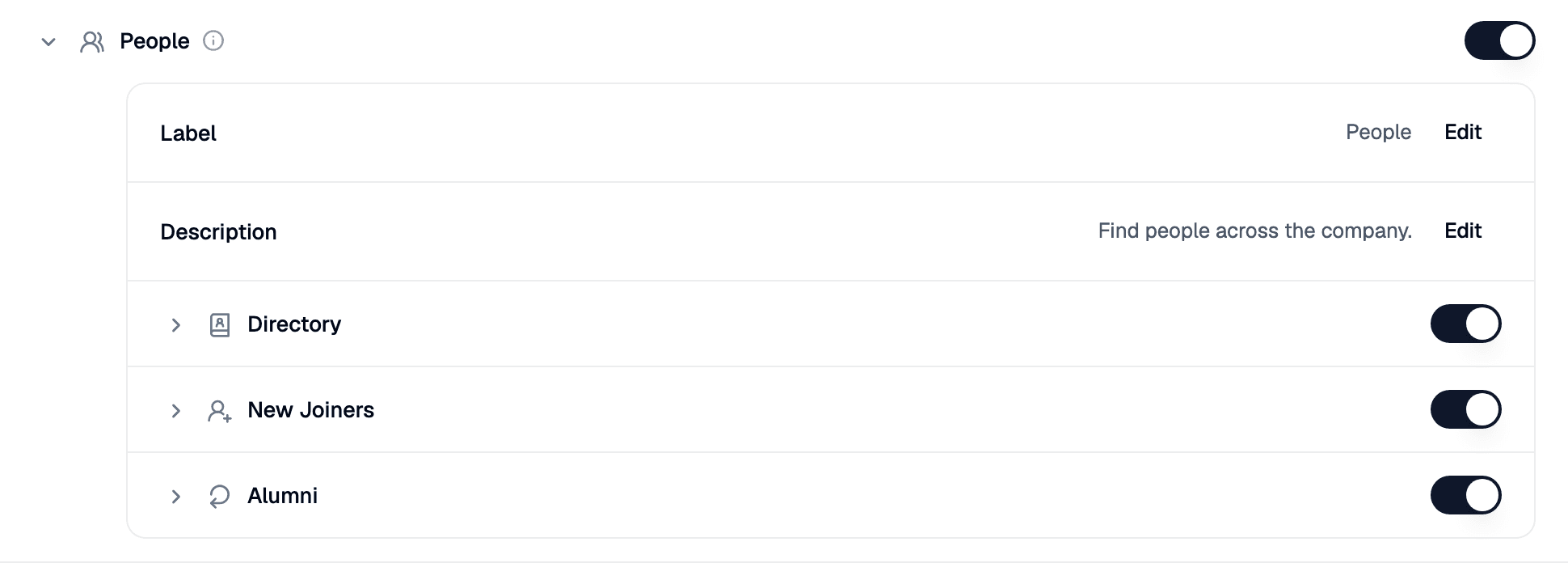
Admins can rename the page, change its description, and turn each tab on or off in My organization → Pages & navigation → People.
Org charts team colors
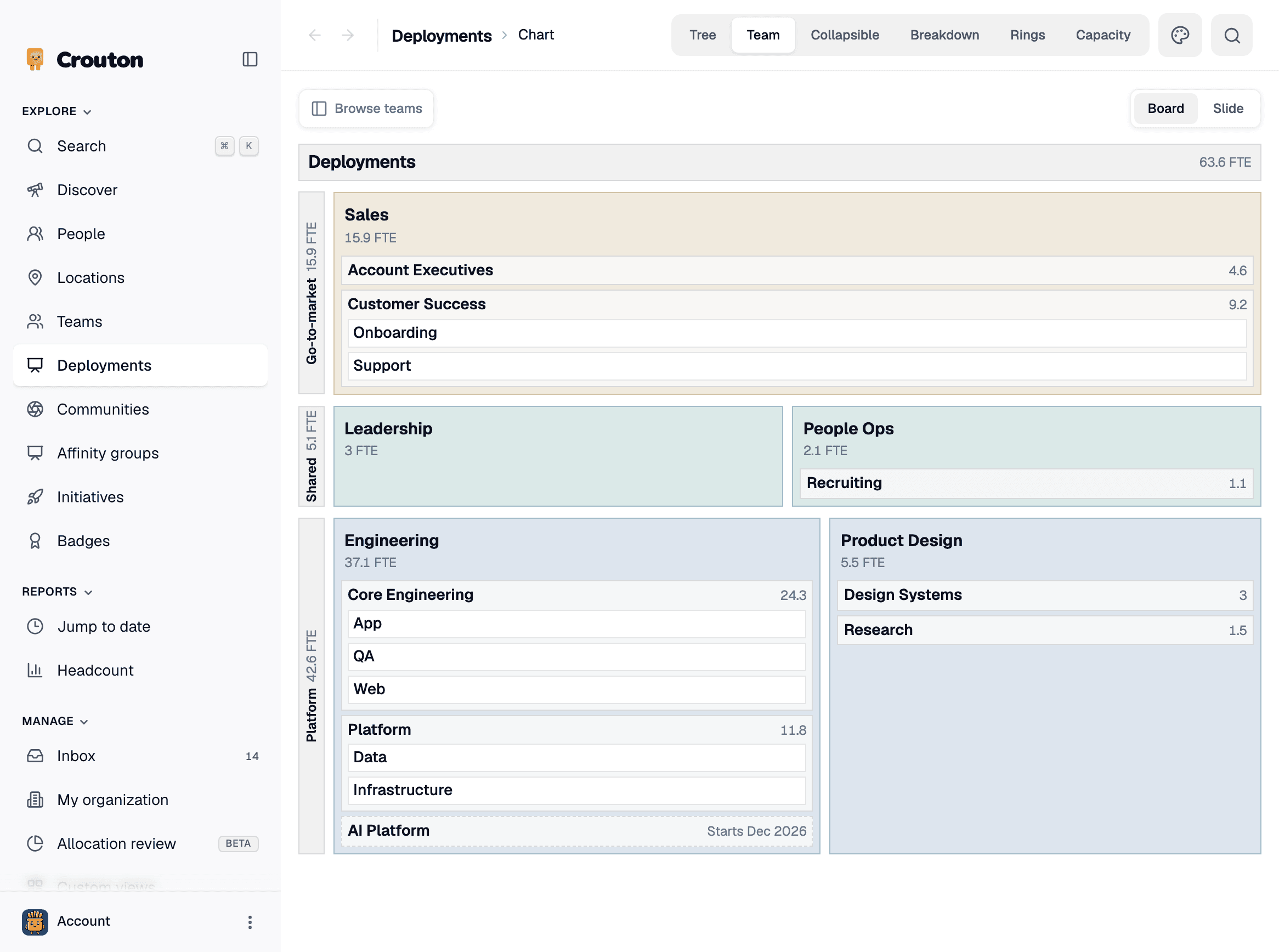
You can now choose the colors on your org charts by clicking the palette button next to the view tabs. Colors are saved for the whole org view, not per person, so everyone who can see the chart sees the same colors.
Faster assignment editing
Add assignment dialog
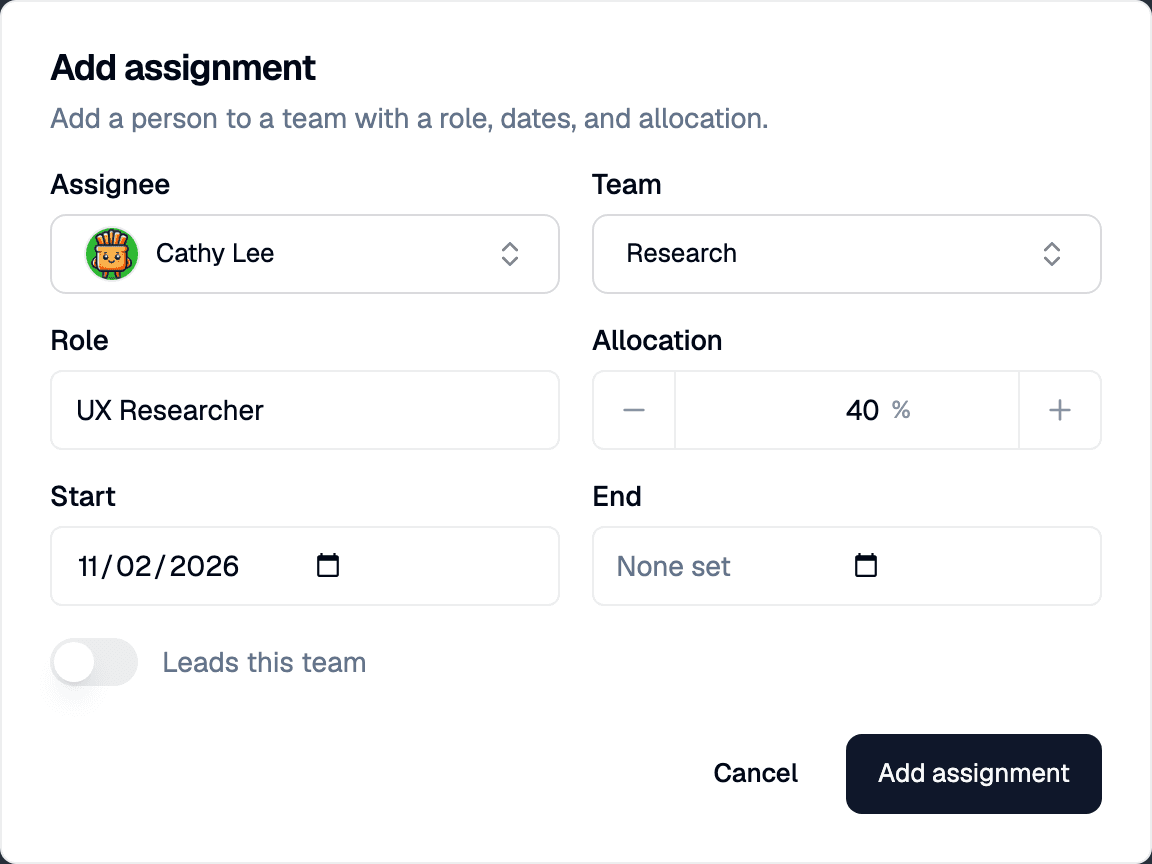
In Manage org view → Assignments, Add assignment now opens a dialog where you fill in the whole assignment before saving it.
- Set the assignee, team, role, allocation, start and end dates, and whether they lead the team
- If the table is filtered to a person or team, the dialog starts with them filled in
- After you save, the table filters to that person so the new row is easy to find
Edit assignments from a profile
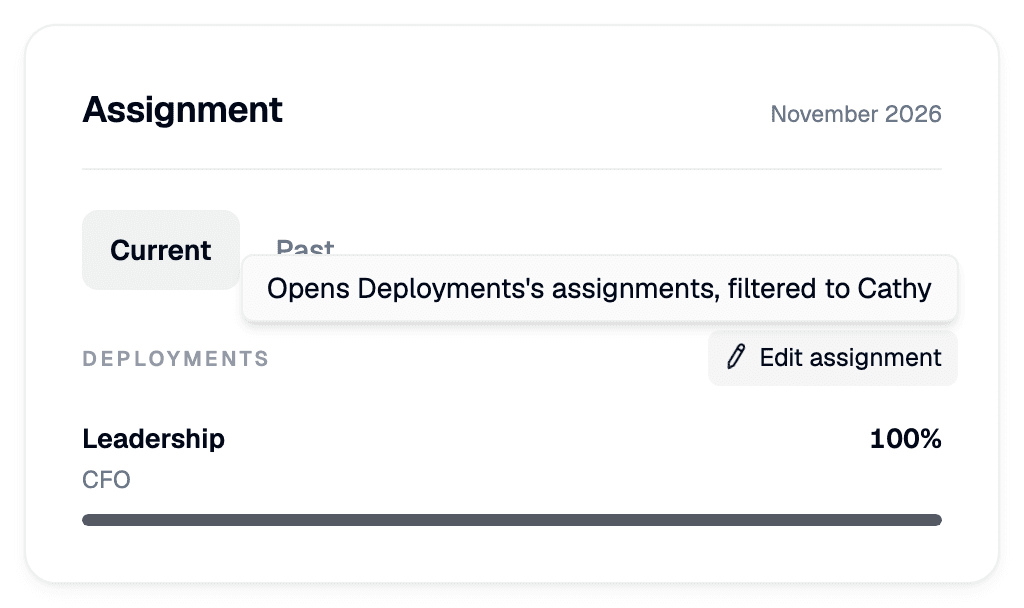
Admins now see an Edit assignment button for each org view in a profile’s Assignment section (Edit assignments when there’s more than one). It opens that org view’s assignments, filtered to the person.
API: edit profiles, teams, and locations
The Crouton API can now edit your directory, not just read it. With a read-write API key, you can make the same edits as in the app:
- Edit a profile’s name, email, pronouns, and phone number
- Get and edit a profile’s description
- Edit a team’s or location’s name and description
- Upload profile, team, and location pictures
See the API docs for details.
Smaller updates
- Click a Slack name on a profile to open a direct message in Slack
- Profiles show a Leave date when someone has a departure scheduled
- The Headcount report’s summary rows are now Total employees and Total allocation (FTE). Allocation values higher than total employee count indicates that at least one employee is over-allocated.
- Profiles fall back to the photo from your HRIS when no one has uploaded one