Org chartsSlack
Tree and Capacity org charts, deck slides, and more
We've added Tree and Capacity views to org charts and a Slide layout that makes it easy to populate slide decks.
Org charts: Tree, Capacity, and slides
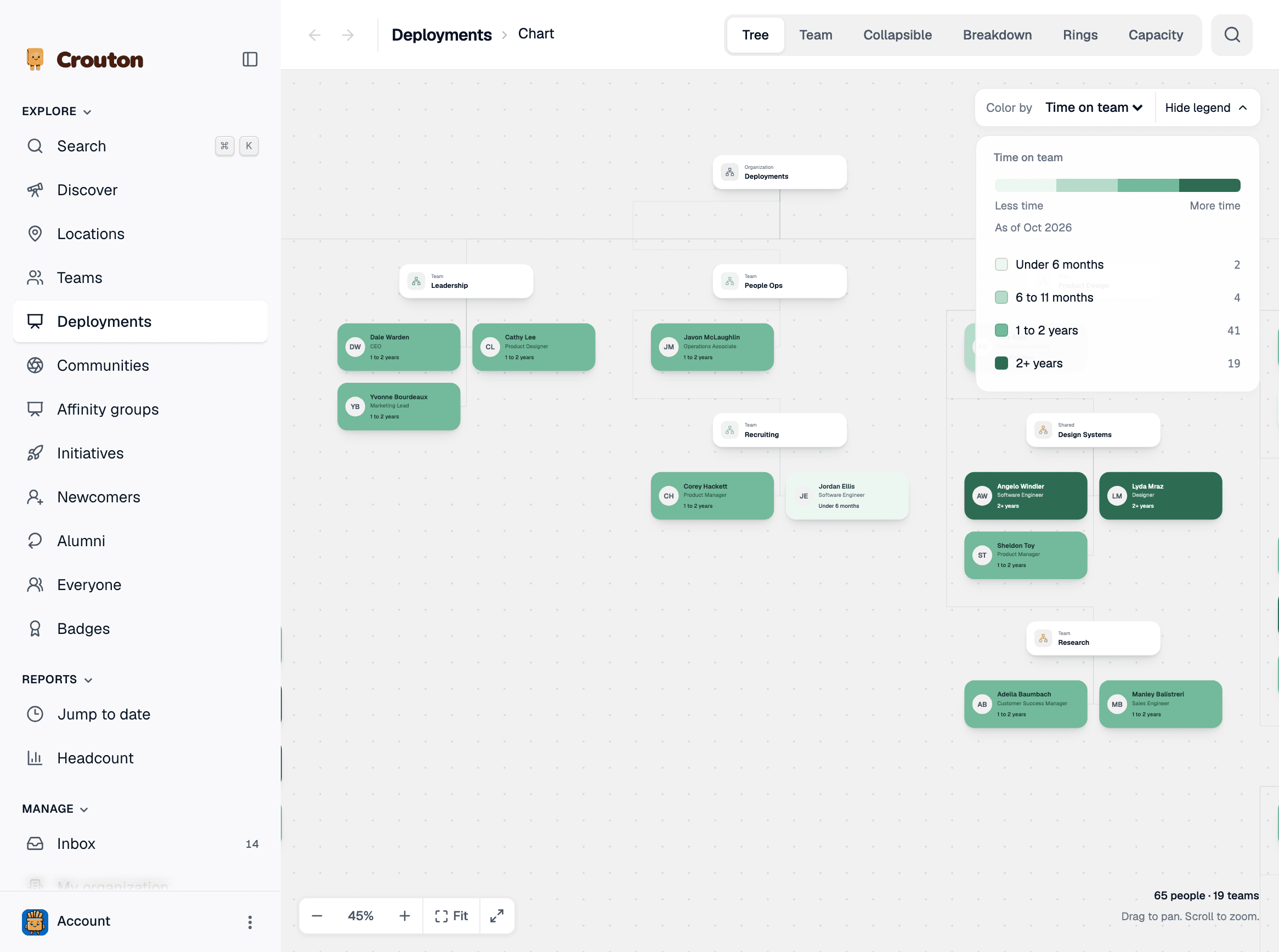
Tree
- Creates a top-down map of your organization's teams
- Color the cells by Team branch, Role, or Time on team for added context
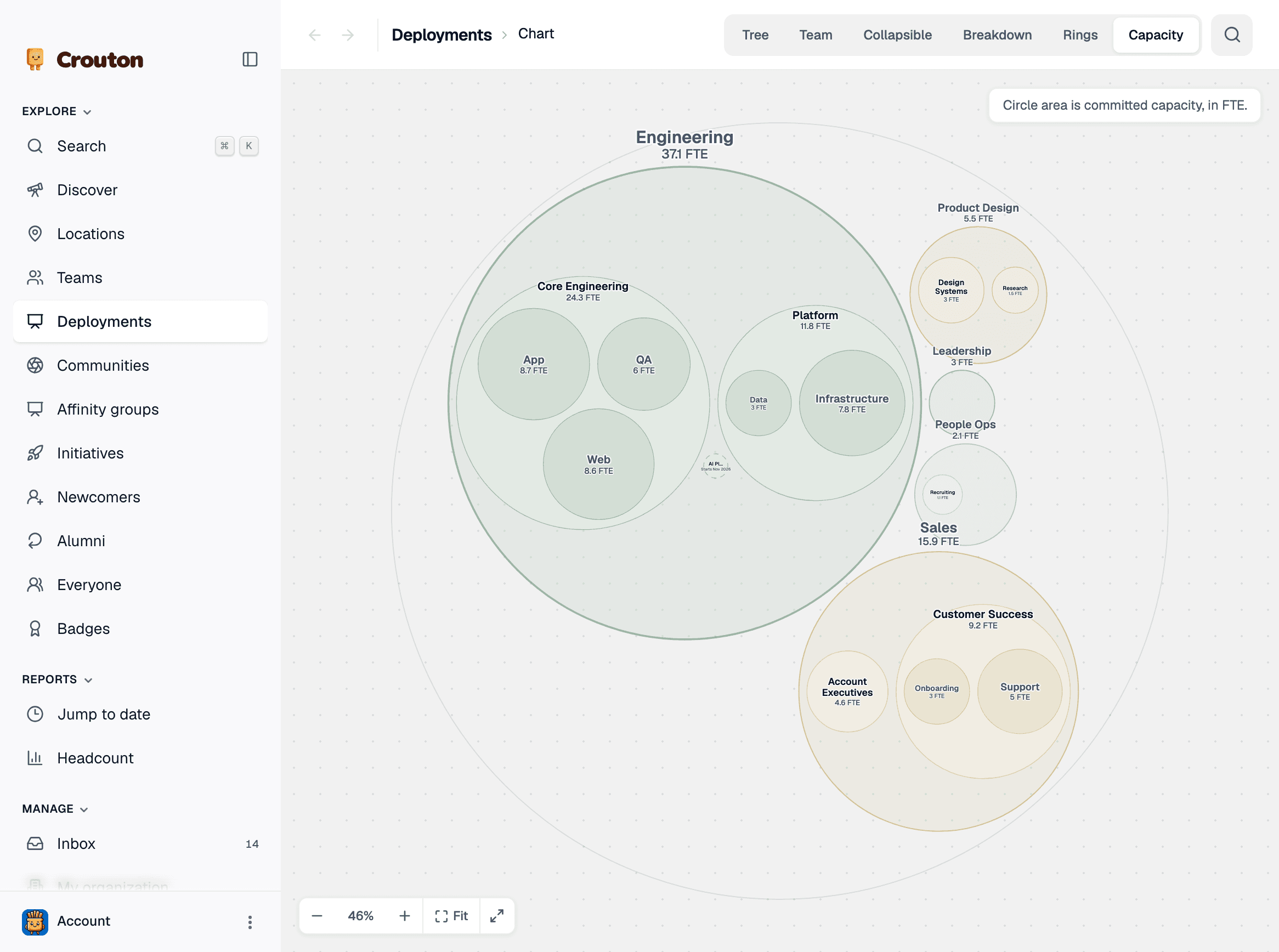
Capacity
- See your org as nested circles, with each circle sized by the FTE committed to that team
- Zoom in to see sub-teams
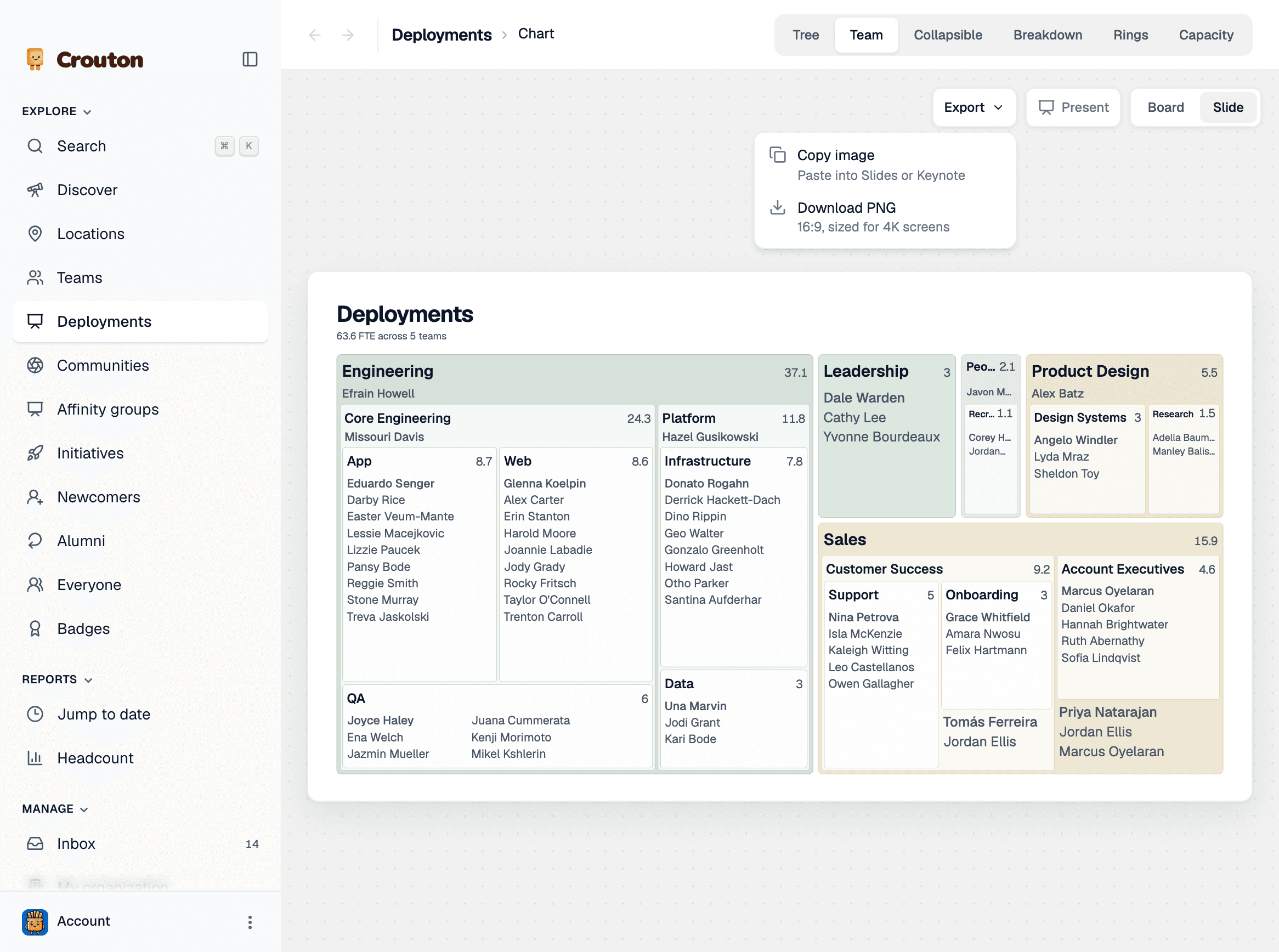
Deck slides
On the Team view, switch from Board to Slide to lay out your whole org as a 16:9 slide.
- Export → Copy image to paste the slide into Powerpoint, Slides, or Keynote
- Export → Download PNG for a 16:9 image sized for 4K screens
Search in every view
Search now sits next to the view tabs, so you can find a person or team from any view. Press / to open it from anywhere on the page.
Slack updates
Slack names on profiles
Profiles now show each person’s Slack display name under Contact & details.

Group badge awards
When you award a badge to several people at once, Crouton now posts just one Slack message instead of one per person. Customize this setting in My organization → Integrations → Slack.